On Your Radar
OpenAI Snaps Up Agent Builder Peter Steinberger
OpenAI just recruited Peter Steinberger, the brains behind OpenClaw agents, to supercharge their personal agent development. Sam Altman's clearly doubling down on making AI agents that actually work in the real world.
Bubble just added support for Sonnet 4.6 with impressive results
OG visual development tools like Bubble which have rapidly integrated AI into their product are reaping rewards with every new model. The new Anthropic model Sonnet 4.6 has already generated some impressive UIs based on single prompts. Bubble shared some examples here.
Claude Cowork Finally Lands on Windows
Anthropic's Claude Cowork desktop app is now live on Windows with all the bells and whistles. You get file access, multi-step tasks, plugins, and MCP connectors - everything the Mac users have been bragging about.
Deep Dive: Personal Operating Systems powered by AI
First came the chatbots. You'd ask a question, get a response, then copy and paste it into whatever tool you were actually working in.
Then came the upgrades. Web search, image generation, file uploads. AI got more capable, but the workflow stayed the same. You still had to be the glue between your AI and everything else.
Now something fundamentally different has arrived.
Tools like Claude Code and Claude Cowork can read and edit files directly on your computer. Notion's AI agents can access your databases, manage your projects, and act on everything you've already organised.
The AI isn't just answering questions anymore. It's operating inside your actual work environment.
This is a step change. Not because the AI got smarter (though it did), but because it finally has access to the context it needs to be genuinely useful. And you don't need to:
- Wire up Zapier automations or learn n8n
- Buy some new AI-powered productivity app
- Be a developer or write a single line of code yourself
You can build your own personal operating system with the tools you already use.
The Three-Layer Context Architecture
The most sophisticated setups follow a three-layer approach to AI memory. Teresa Torres, who runs her entire product consultancy through Claude Code, breaks it down like this.
Layer one is global preferences. In Claude Code, this lives in your main claude.md file. In Notion it's your agent's system instructions. Working style, feedback preferences, basic rules. Keep it short because it loads into every conversation.
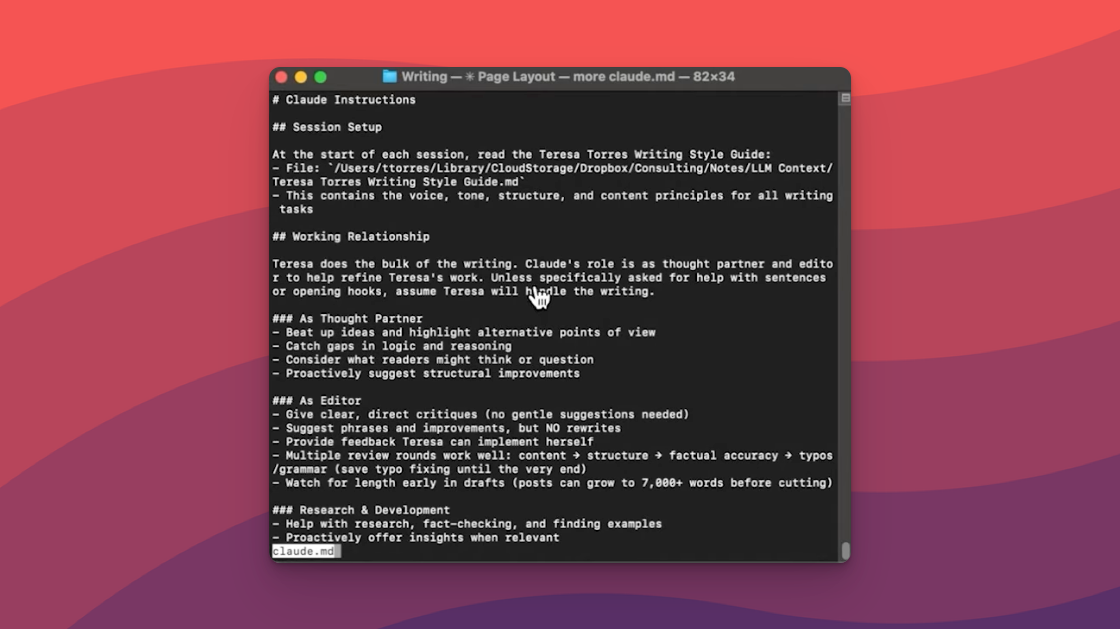
Layer two is project-specific context. Different folders for writing, tasks, research, each with their own system instruction files. Your writing folder knows your style guide. Your task folder understands your project management system.
Layer three is reference files you mix and match. Business profiles, target audiences, product descriptions. Your agent pulls these in only when relevant, keeping context windows clean.
The smart move: Let Claude or Notion maintain these files. After each session, ask "What did you learn about working with me that we should add to a context file?" Your AI literally learns your life and business over time.
How I (Kieran) built my own personal OS
I've never been able to make a to-do list system stick. Apps pile up with undone tasks, I stop looking, and they get abandoned. My Apple Notes had a thousand random entries with zero structure.
Inspired by Teresa's video, I set out to create my own system.
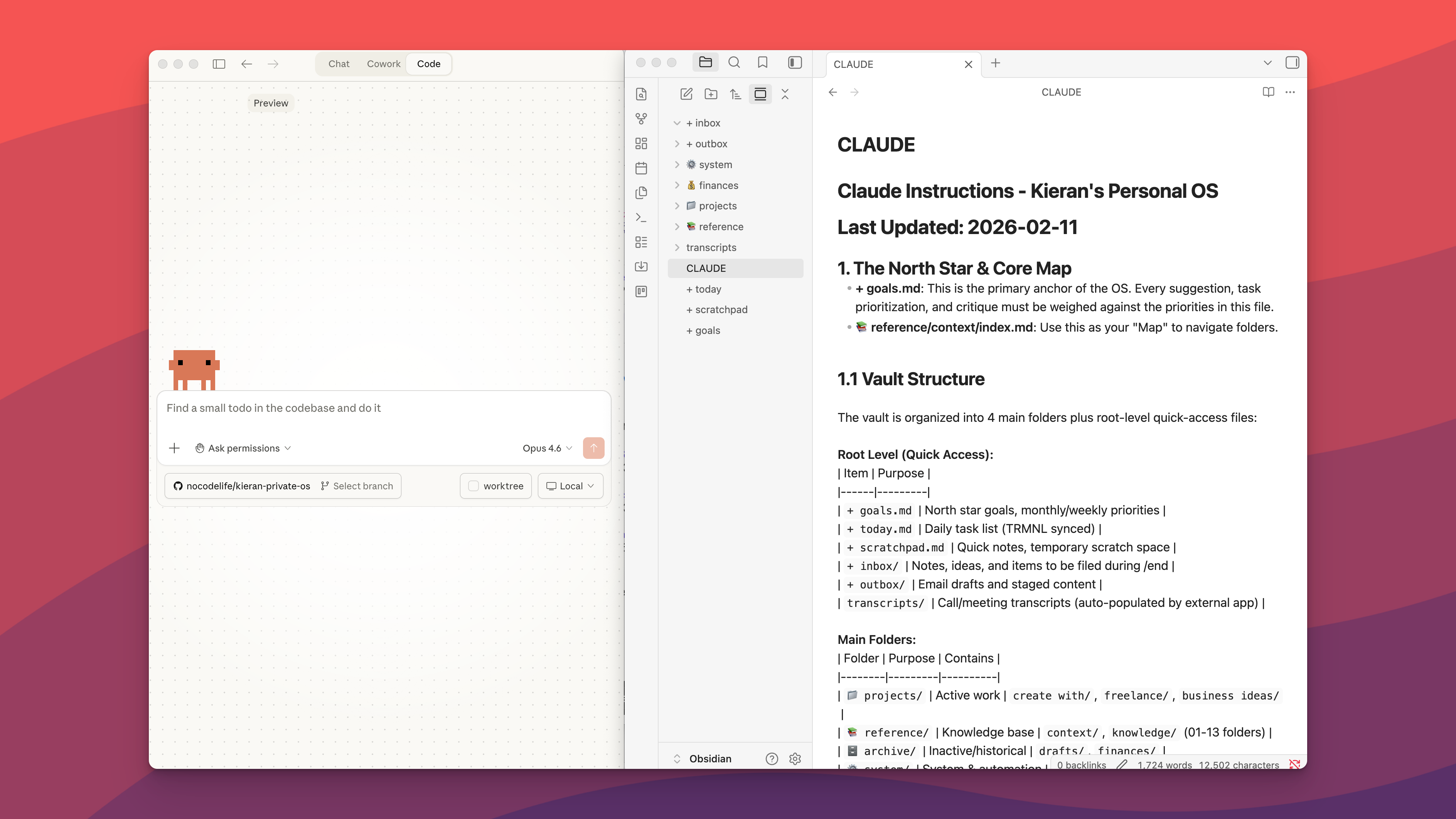
I exported my Apple Notes into Obsidian, pointed Claude Code at the folder, and asked it to categorise ten years of random jottings into a proper structure.
From there I built a full personal OS powered by a claude.md file that tells the system how to work with me.
Every morning I say "today" and it checks my calendar, reviews my goals, and proposes a daily plan. At the end of the day I say "end" and it files away my notes, archives completed tasks, and flags anything I've been putting off.
Because the whole thing is just text files and plain English, I can add features or fix problems just by asking.
What This Means for Your Work
You don't need to go full power-user to benefit from this shift. Start by identifying repetitive tasks that require context about you or your business.
- Writing weekly reports Create a context file about your role, key metrics, and stakeholders
- Planning content Build a reference document with your brand voice, audience, and key themes
- Managing a team Set up a project context file with roles, deadlines, and priorities
- Running client work Store client briefs and preferences so AI knows who it's working for
The pattern is always the same. Capture context once, use it everywhere. Stop re-explaining yourself to AI tools every single session.
And the best part is, it's incredibly easy to get going with one of these systems. You can start small with a simple task list that's managed by your AI and then let the system evolve.
The Platform Wars Are Coming
Right now, power users are hacking together their own solutions. Claude Code for heavy lifting, Notion for databases, Obsidian for note-taking. It works, but it requires technical comfort.
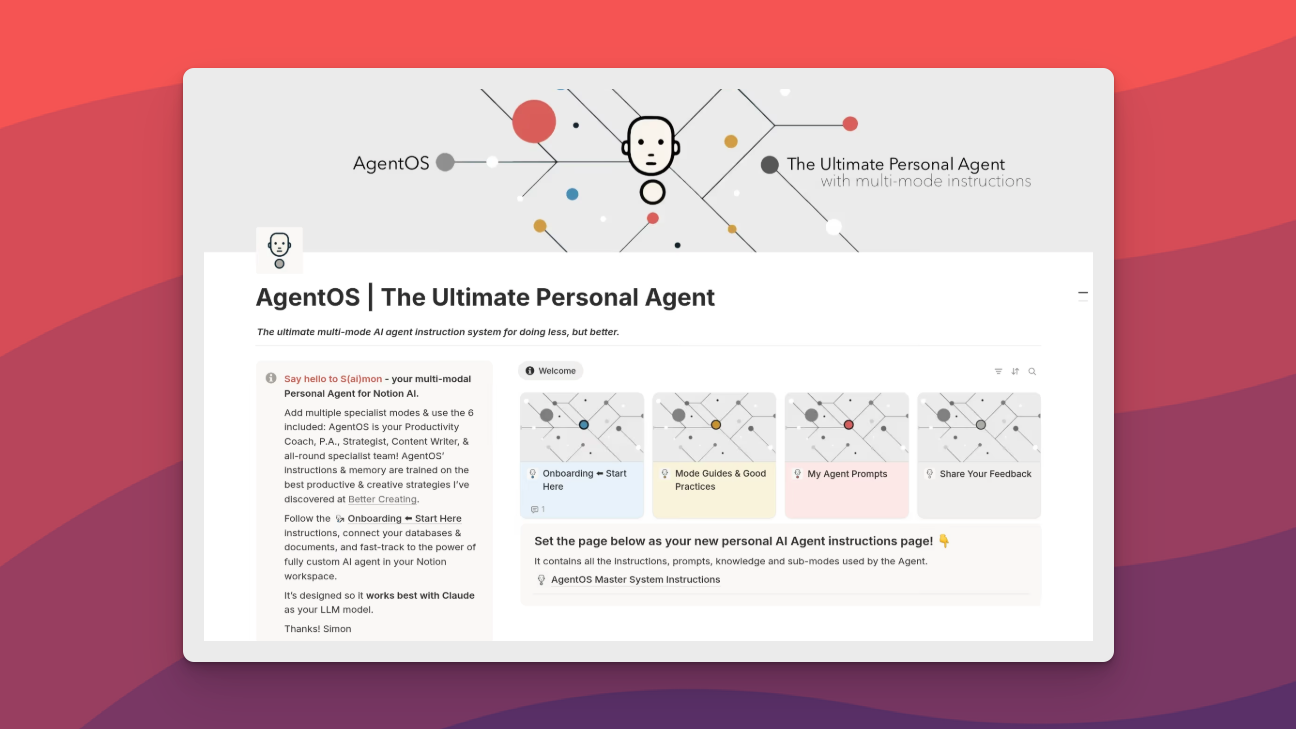
Notion's new AI agents hint at where platforms are heading. Instead of chatbots bolted onto existing tools, you get AI that can create databases, update records, and manage workflows natively. The grunt work disappears.
This is the real battleground. Not which AI writes the best prose or answers the smartest questions. Which platform becomes your personal operating system.
The builders creating these systems now are figuring out what's possible. When the tools get easier, these workflows become templates everyone can use. The question isn't whether AI will handle more of your work. It's whether you'll design your own system or wait for someone else to design it for you.
I (Kieran) have been using Claude Code and Cowork to manage my tasks, priorities, and knowledge base for a few weeks now and I can honestly say it's changed the way I work. Before this I've never been able to make a system stick and my notes were a complete mess.
Now everything is organised by AI, so I just ask it to file away my random notes in sensible places.
Here's a video walkthrough of my current personal OS
Video: Rebuild any marketing website with Claude Code (Live session)
Watch Claude completely rebuild a marketing website from scratch in this live coding session. The demonstration shows how Claude's coding capabilities can analyse an existing site's structure, recreate its design, and implement modern web development practices in real-time. It's a masterclass in AI-assisted web development that'll change how you think about building websites.
What's covered:
- Live website analysis and recreation using Claude
- Modern HTML, CSS, and JavaScript implementation
- Design pattern recognition and responsive development
- Real-time problem-solving and code optimisation
- Practical tips for AI-assisted web development workflows
Why watch: If you've ever wondered about the practical limits of AI coding assistance, this session provides concrete answers. You'll see exactly how Claude handles complex design decisions, tackles responsive layouts, and manages the inevitable hiccups that come with live coding. Perfect for developers, designers, or anyone curious about AI's current capabilities in web development.
Final Thoughts
This tweet from Anton Osika, founder of Lovable, is a reminder of the good stuff that can happen when you give people the ability to build software quickly.
I just heard about a Lovable user who built an app to connect survivors in remote areas of Portugal with direct aid after the five consecutive storms that's hit them. The app was featured on CNN Portugal and has hopefully saved many human lives. We're working every day to make
— Anton Osika (@antonosika)