 Descript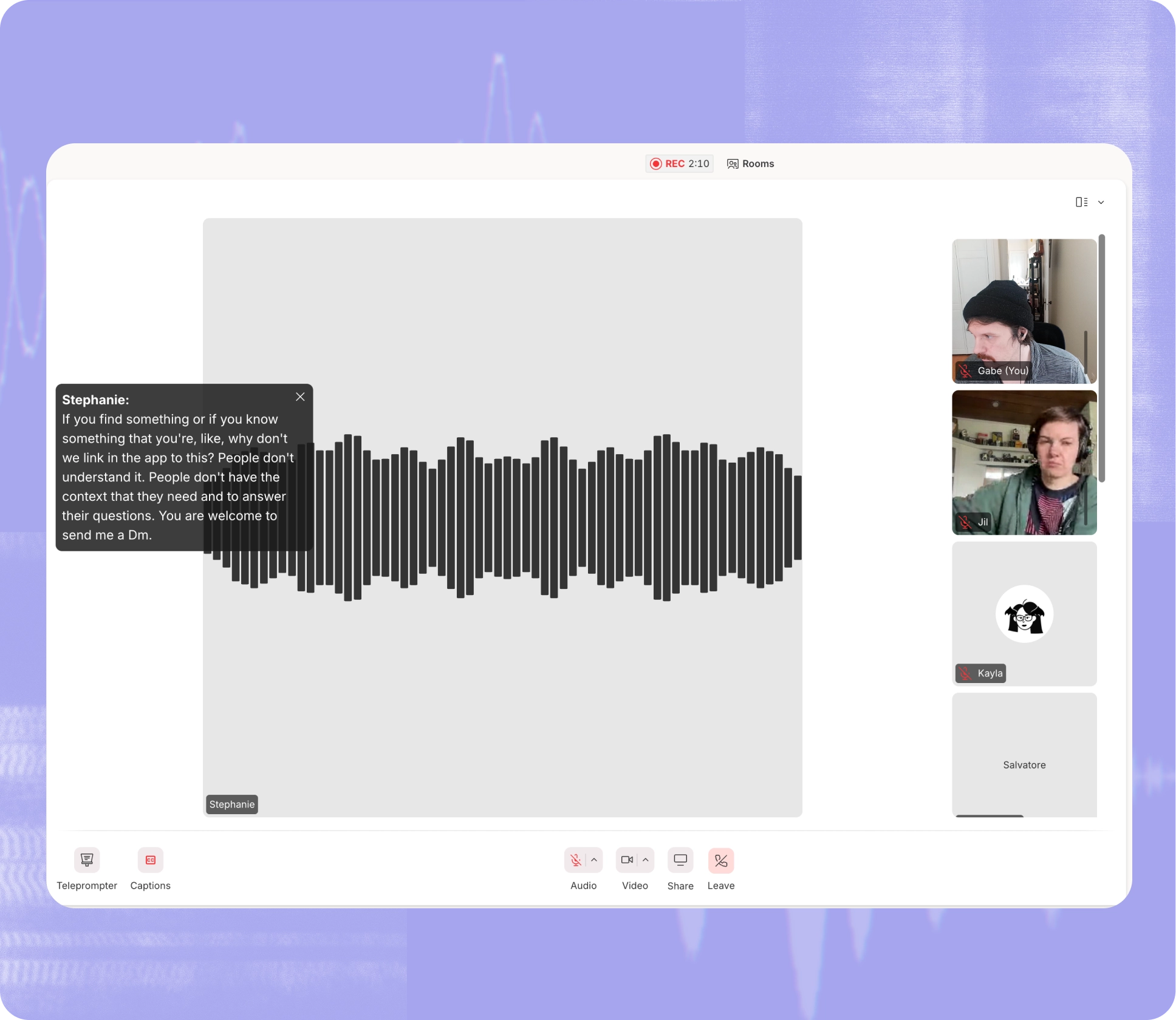
Descript announced on LinkedIn a major feature bundle that expands the video editor's capabilities across editing, collaboration, and automation. The update includes an API now available to all users, live captions for remote recording sessions, and a rebuilt transitions system with 16 visual effects.
The company shipped six distinct features in this release, marking one of its broader product pushes in recent months.
API Moves to Open Beta
Descript's API is now accessible to all users in open beta, moving beyond the early access phase announced in late March. The API allows developers to build automated workflows that integrate Descript's transcription, editing, and video processing tools into external applications.
The company has been hosting weekly office hours for developers testing the API. Opening beta access to the full user base signals Descript's intent to position itself as a platform for programmatic content production, not just a standalone editor.
Transitions Get Visual Previews
Descript rebuilt its transitions tool with a grid picker interface that shows animated previews of each effect before users apply them. The update expands the library to 16 total transitions, up from seven, adding nine new styles including Clock Wipe, Shape Wipe, Double Linear Wipe, Move In & Out, Push-Pull, Scale, Flip, Split, and Shake.
Users can now bulk-apply a single transition across all scenes in a project with one action. Several of the new transitions include advanced customization controls accessible through the properties panel. The updated interface displays thumbnail previews in a grid layout, replacing the previous list view.
This follows Descript's earlier transition update that introduced the initial batch of these effects. The visual preview system addresses a common pain point where editors had to apply effects to see how they looked.
Live Captions Land in Rooms
Descript Rooms, the company's remote recording feature, now supports real-time captions during recording sessions. Participants can enable live captions from the toolbar, and a movable caption overlay appears on screen showing transcribed speech as it happens.
The feature improves accessibility for participants who need or prefer captions and helps users follow conversations in noisy environments or when audio quality drops. Captions appear as an on-screen overlay that users can reposition as needed during the session.
Seedance 2.0 Integration
The update bundles Seedance 2.0, Descript's AI video generation tool, directly into the editor. Seedance 2.0 generates animated graphics and visual effects from text prompts, allowing users to create motion graphics without leaving the Descript interface.
The integration follows the initial Seedance 2.0 release and brings the tool's enhanced motion capabilities into the main editing workflow. Users can now generate AI-created visuals and immediately place them on the timeline alongside traditional video clips.
Drive Media in Sidebar
Descript moved cloud-stored media from external storage services directly into the Media sidebar. Users can now access files stored in connected drive accounts without switching windows or navigating to separate storage interfaces.
The change streamlines workflows for teams working with shared media libraries, particularly those managing large asset collections across multiple projects.
Claude Opus 4.7 Powers Underlord
Descript's AI editing assistant, Underlord, now runs on Claude Opus 4.7. The model upgrade brings improved natural language understanding to Underlord's editing capabilities, which allow users to request edits through conversational prompts rather than manual timeline manipulation.
The company has been gradually expanding Underlord's capabilities since launch. The Claude Opus integration represents the latest backend improvement to the assistant's language processing.
The bundled release demonstrates Descript's strategy of shipping multiple complementary features simultaneously rather than isolated updates. The API beta, in particular, positions the editor as a backend service for content teams building custom automation, extending its utility beyond individual creators.
Sources
1 checkedHow we cover tool news: Create With's tool desk drafts these reports with AI from the sources listed above and checks them against those sources before publishing.




 Stripe
 Supabase