 Vercel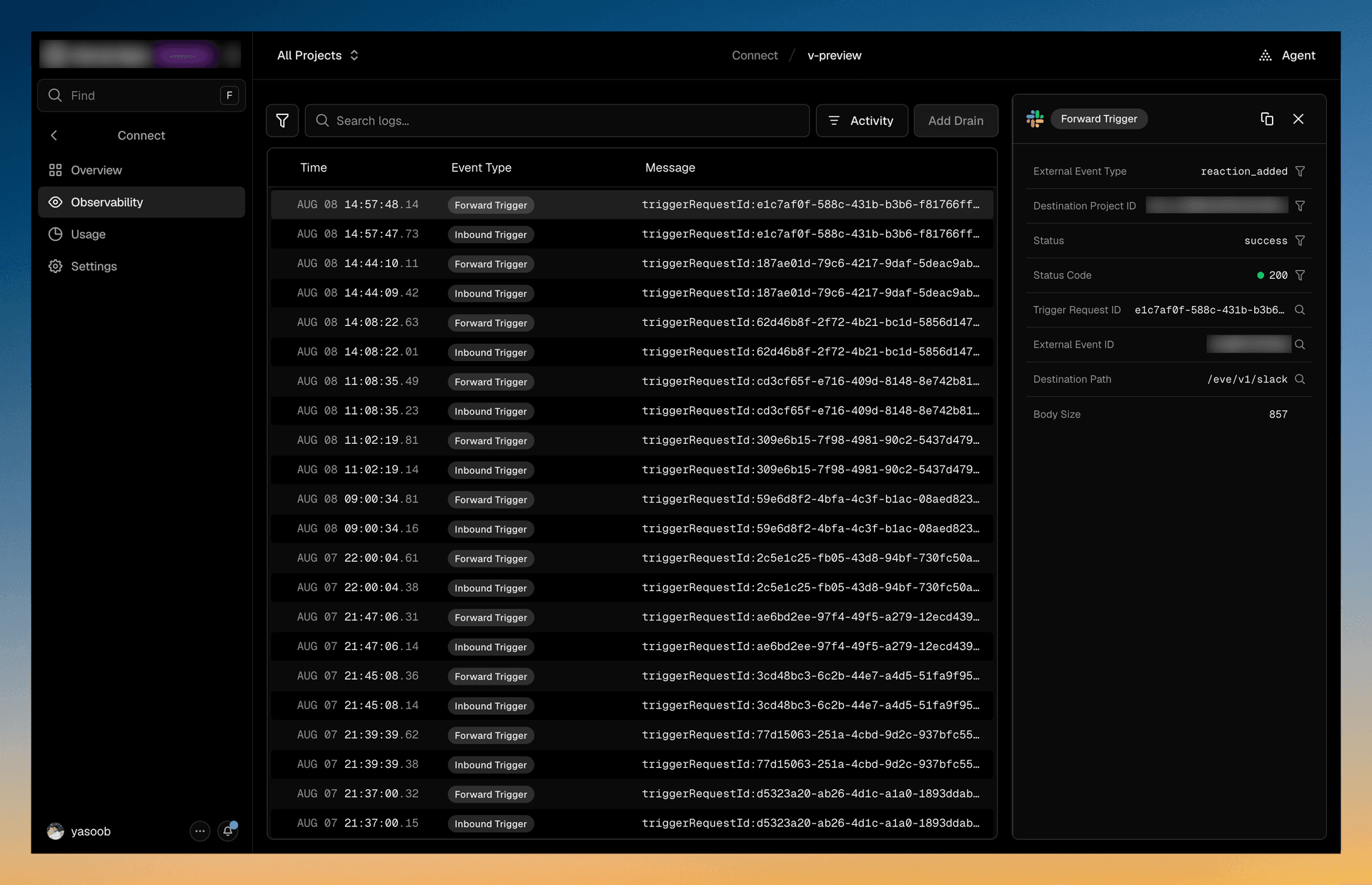
Vercel has added observability to Vercel Connect, giving teams a clearer record of how authentication tokens move through connected applications and projects. The update, announced in Vercel’s changelog, records token requests, authorizations, refreshes, revocations, and trigger deliveries in one place.
The practical benefit is faster diagnosis when a connector stops working or behaves unexpectedly. Rather than inferring what happened from application logs, a team can inspect who created a token, which app or project used it, when it was used, and whether it remains active.
What the new Observability tab records
Every connector detail page now includes an Observability tab. Vercel describes this as line-level visibility into the token lifecycle, covering the events generated as a connected service grants, uses, refreshes, or withdraws access.
The tab includes three main capabilities:
- Runtime events: A filterable history of token requests, authorizations, refreshes, revocations, and trigger deliveries. Teams can filter the timeline by event type when investigating a particular failure.
- Correlation IDs: Stable
tokenIdandauthorizationIdvalues connect events belonging to the same token or authorization. These identifiers can also be matched against records in a team’s own systems. - Activity filtering: An Activity button opens Vercel’s Activity page with filters already applied to that connector’s configuration events, showing when its setup changed and how.
Correlation IDs may be the most useful addition for teams running connectors alongside custom backend services. A developer can follow a single authorization across Connect and internal logs, instead of trying to align events using timestamps or user details alone. That should make it easier to distinguish an expired or revoked credential from a connector configuration problem.
The Activity integration serves a different purpose. Runtime events show what the connector did, while configuration activity helps establish whether an operational problem followed a settings change. Keeping those views connected provides a more complete troubleshooting trail without combining them into a single, difficult-to-read stream.
Availability, retention, and log drains
Connect observability is available across all Vercel plans, but event retention depends on the subscription tier:
- Hobby: 12 hours
- Pro: 3 days
- Enterprise: 30 days
Those windows make the built-in view most suitable for recent debugging. Teams that need a longer history can forward events to a custom webhook endpoint by configuring a Drain. That option is particularly relevant for organizations with longer audit requirements or an existing centralized logging workflow.
The export path also fits Vercel’s broader effort to make platform activity available to external monitoring systems. The company previously expanded Audit Log Drains with Datadog, Splunk, and Panther support, although Connect observability focuses specifically on connector runtime and token events rather than general account auditing.
For small product teams, the update reduces a common blind spot around third-party access. It does not replace application-level monitoring, but it adds a focused record for answering narrower questions: whether authorization succeeded, whether a token was refreshed, whether access was revoked, and which connector configuration was active at the time.
Frequently asked questions
What is Vercel Connect observability?
Vercel Connect observability is a connector-level event view that tracks the lifecycle of authentication tokens. It records requests, authorizations, refreshes, revocations, and trigger deliveries, while providing identifiers that teams can match with their own logs.
Which Vercel plans include Connect observability?
The feature is available on all plans. Hobby retains events for 12 hours, Pro for three days, and Enterprise for 30 days.
Can Vercel Connect events be retained for longer?
Yes. Teams can forward events to a custom webhook endpoint by adding a Drain, allowing the records to be stored in an external logging or monitoring system beyond Vercel’s built-in retention window.
Sources
1 checkedHow we cover tool news: Create With's tool desk drafts these reports with AI from the sources listed above and checks them against those sources before publishing.





 Stripe
 Supabase