 Vercel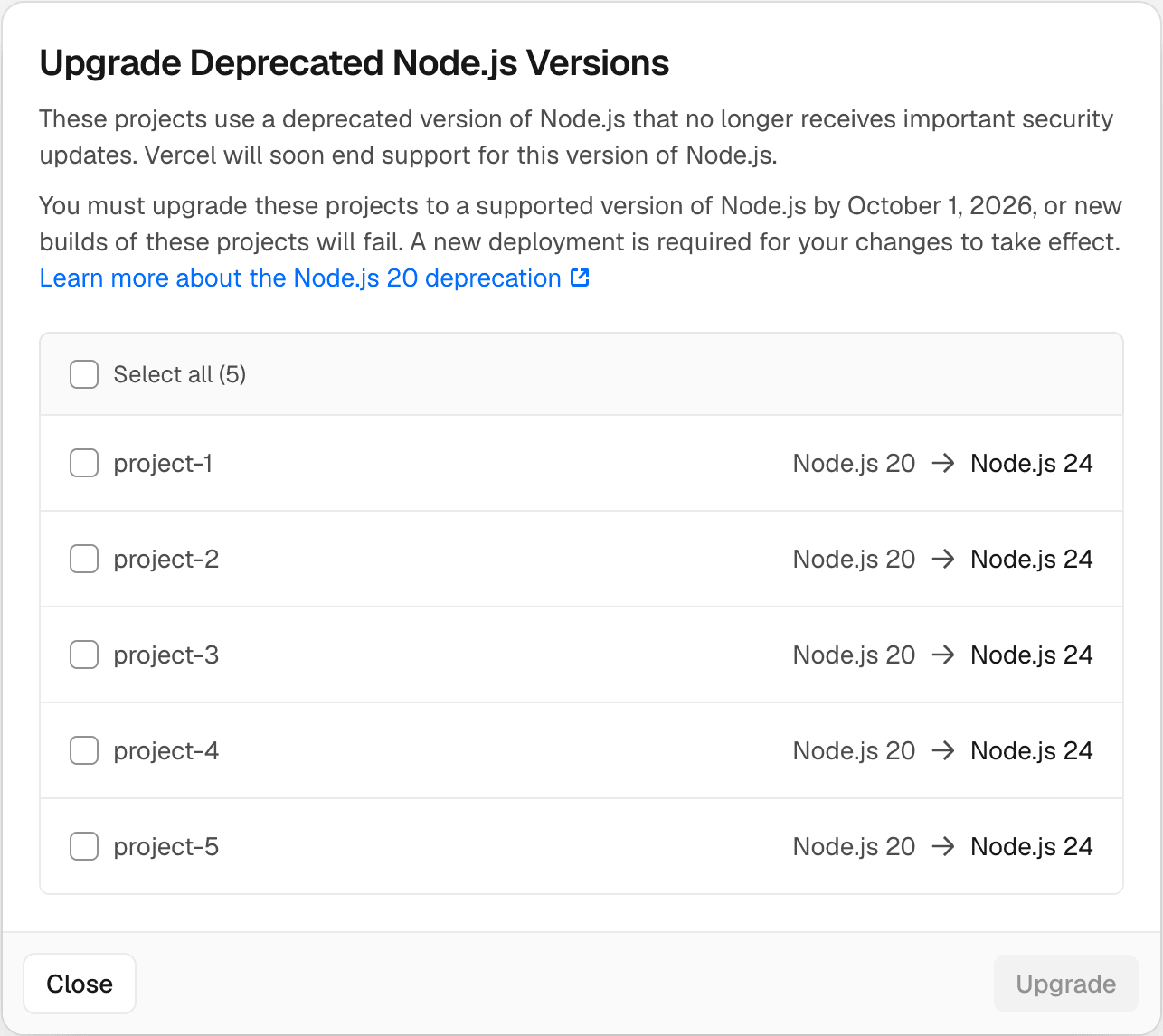
Vercel is making a routine but potentially risky maintenance task easier. Team owners and members can now move every project using Node.js 20 or earlier to Node.js 24 with a single action in the Vercel Dashboard.
The changelog announcement, published August 13, 2026, targets teams carrying older runtime settings across multiple projects. Instead of opening each project's settings and changing its Node.js version individually, users can identify affected projects and initiate the upgrade centrally.
That could be particularly useful for agencies, small product teams, and businesses running several websites or applications without a dedicated platform engineering function. Runtime upgrades are easy to postpone when they compete with customer-facing work, even though remaining on an end-of-life release can increase security, compatibility, and maintenance risks.
What the one-click upgrade changes
The dashboard action updates the Node.js version stored in each project's Vercel settings. It applies to projects configured for Node.js 20 or an earlier version, moving them directly to Node.js 24.
There are two important limits to the automation:
- Existing deployments do not change. The upgrade affects the project setting used for subsequent builds and deployments, rather than modifying applications that are already live.
- The
package.jsonfile is not automatically edited. If a project declares its Node.js version in theenginesfield or elsewhere inpackage.json, the team must update that value manually.
The second point matters because a mismatch between Vercel's project setting and a repository's declared runtime can produce inconsistent behavior. Local development, package managers, CI systems, and Vercel builds may interpret the configured versions differently. Teams should review both locations before treating the migration as complete.
Vercel links users directly to a dashboard upgrade view, where eligible projects can be reviewed and upgraded.
A shortcut, not a compatibility guarantee
The feature removes dashboard work, but it does not eliminate the need to test applications against Node.js 24. Dependencies, build scripts, native modules, and framework versions can behave differently after a major runtime jump, particularly for projects moving from releases older than Node.js 20.
A cautious workflow would be to update the project setting, align package.json, install dependencies using Node.js 24 locally or in CI, and create a preview deployment. Teams can then check build logs, server-side functions, scheduled jobs, and other runtime-dependent behavior before promoting a new deployment to production.
For small businesses, the practical gain is visibility as much as speed. A centralized action makes outdated projects harder to overlook and reduces repetitive configuration work across a portfolio. It also fits Vercel's broader effort to move operational controls into its platform interface, alongside updates such as centralized account control through Enterprise Managed Users and token lifecycle observability for Vercel Connect.
Still, teams should treat the button as the start of a runtime migration, not the end. Vercel automates the platform setting; application compatibility remains the developer's responsibility.
Frequently asked questions
What is Vercel One-click upgrade for deprecated Node.js versions?
It is a Vercel Dashboard feature that lets team owners and members move eligible projects using Node.js 20 or earlier to Node.js 24 with one action. It updates the Node.js runtime selected in each project's Vercel settings.
Does the upgrade update package.json or existing deployments?
No. Teams must manually change any Node.js version declared in package.json, and deployments that are already running are not affected. The new setting applies when projects are built and deployed again.
Who can use the upgrade, and which projects qualify?
Vercel says team owners and members can use it for projects configured with Node.js 20 or an earlier release. The announcement does not specify a required paid plan or separate fee.
Sources
1 checkedHow we cover tool news: Create With's tool desk drafts these reports with AI from the sources listed above and checks them against those sources before publishing.





 ElevenLabs
 Glide
Glide
 Stripe