 Spline
Spline is giving creators a way to build interactive 3D simulations by describing what they want rather than programming every behavior manually. Its new AI Agent Mode can generate code that changes scene geometry at runtime, extending AI-assisted creation beyond static models and layouts.
The capability was demonstrated by Spline co-founder Joseph Azar in a LinkedIn post. Azar entered a prompt asking Spline to create a cloth simulation, make it interact with a movable sphere, and add a floor and obstacles. The resulting experience ran inside the editor’s Preview mode, with the sphere and cloth available for direct manipulation.
That demonstration is notable because the generated code is not limited to moving complete objects around a scene. According to Azar, it can update the geometry of any object, including its vertices and normals. This makes it possible to generate deformations and simulation-like effects that would ordinarily require custom graphics programming.
From Scene Generation to Runtime Behavior
AI Agent Mode arrives as part of Spline V2, which the company describes in its official update as a complete rebuild of the editor for an agent-driven workflow. The release combines an in-editor AI chat agent with deeper access to objects, materials, lights, cameras, particles, variables and interactions.
Crucially, the generated scene remains editable. Designers can use a prompt to create the initial structure or behavior, then continue adjusting the individual elements rather than receiving a flattened output.
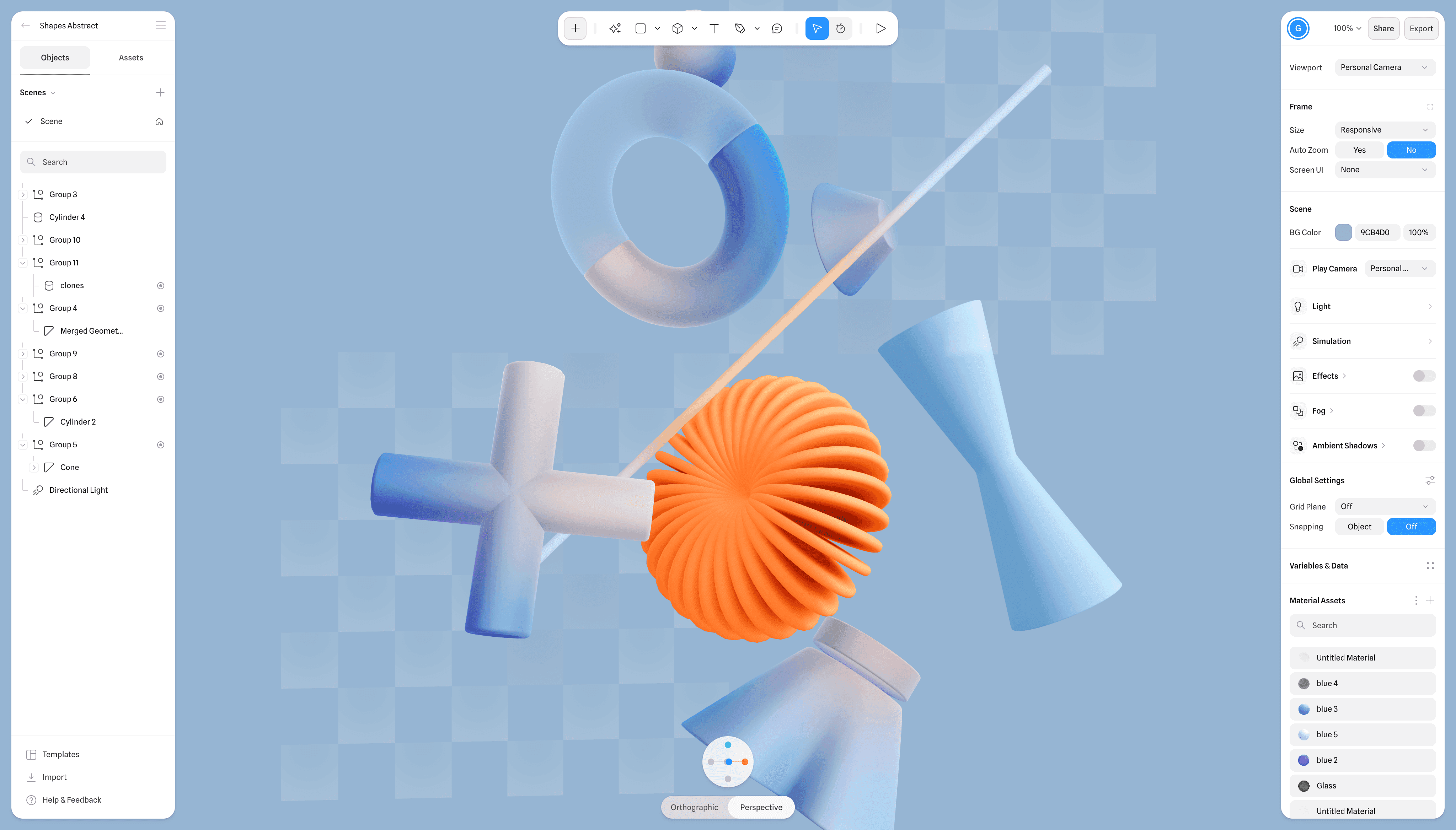
Spline V2 also introduces separate Code and Preview tabs. The Code tab supports HTML and JavaScript that can access scene data, modify existing objects or generate procedural data during runtime. Preview provides a play environment for testing those interactions alongside the 3D canvas.
In practice, that gives the agent several layers to work across:
- Scene composition, including objects, materials, cameras and lighting
- Interaction design, such as events, states and tweens
- Runtime code, including HTML and JavaScript layered over the 3D canvas
- Geometry manipulation, down to vertices and normals
Every AI prompt also creates a version history entry, according to Spline’s update. That should make experimentation less risky because creators can revisit earlier states when an instruction produces an unwanted result.
What It Means for Web Creators
For small teams, the immediate appeal is faster prototyping. A designer could describe an interactive product display, lightweight game mechanic or physics-inspired landing-page element, test it in Preview and then refine the generated scene. The cloth demonstration suggests that prompts can specify both the environment and how a user should interact with it.
The feature also points to a broader change in no-code design. Natural language is becoming an interface for generating not only assets, but the logic connecting those assets. Spline has already been moving in this direction through products such as Omma Canvas, which uses parallel AI agents for site building.
Spline V2 broadens that approach through Model Context Protocol access. External agents, including Claude Code and Cursor, can drive the editor through MCP tools. That could let development agents coordinate changes to a 3D scene while working on the surrounding application.
There are still practical questions. Spline has not provided plan requirements or separate pricing for AI Agent Mode in the supplied announcements. The demo also shows one cloth interaction rather than establishing how generated simulations will perform across more complex scenes or different devices. Still, direct runtime access to scene geometry gives the agent considerably more scope than a conventional text-to-3D generator.
Frequently asked questions
What is Spline AI Agent Mode?
Spline AI Agent Mode is a feature in Spline V2 that turns natural-language instructions into editable 3D scenes, interactions and code. Its generated code can modify scene data at runtime, including object geometry, vertices and normals.
What can creators build with AI Agent Mode?
Spline demonstrated the feature by generating an interactive cloth simulation with a movable sphere, floor and obstacles. The broader Spline V2 toolset supports objects, materials, lighting, cameras, particles, variables, events, states and custom code-driven interactions.
When is AI Agent Mode available, and what does it cost?
Spline presented AI Agent Mode as part of Spline V2 in an update dated August 21, 2026, and Azar’s post invited users to try the feature. The supplied announcements do not specify pricing or which subscription plans include it.
Sources
1 checkedHow we cover tool news: Create With's tool desk drafts these reports with AI from the sources listed above and checks them against those sources before publishing.




 Stripe
 Supabase