 Supabase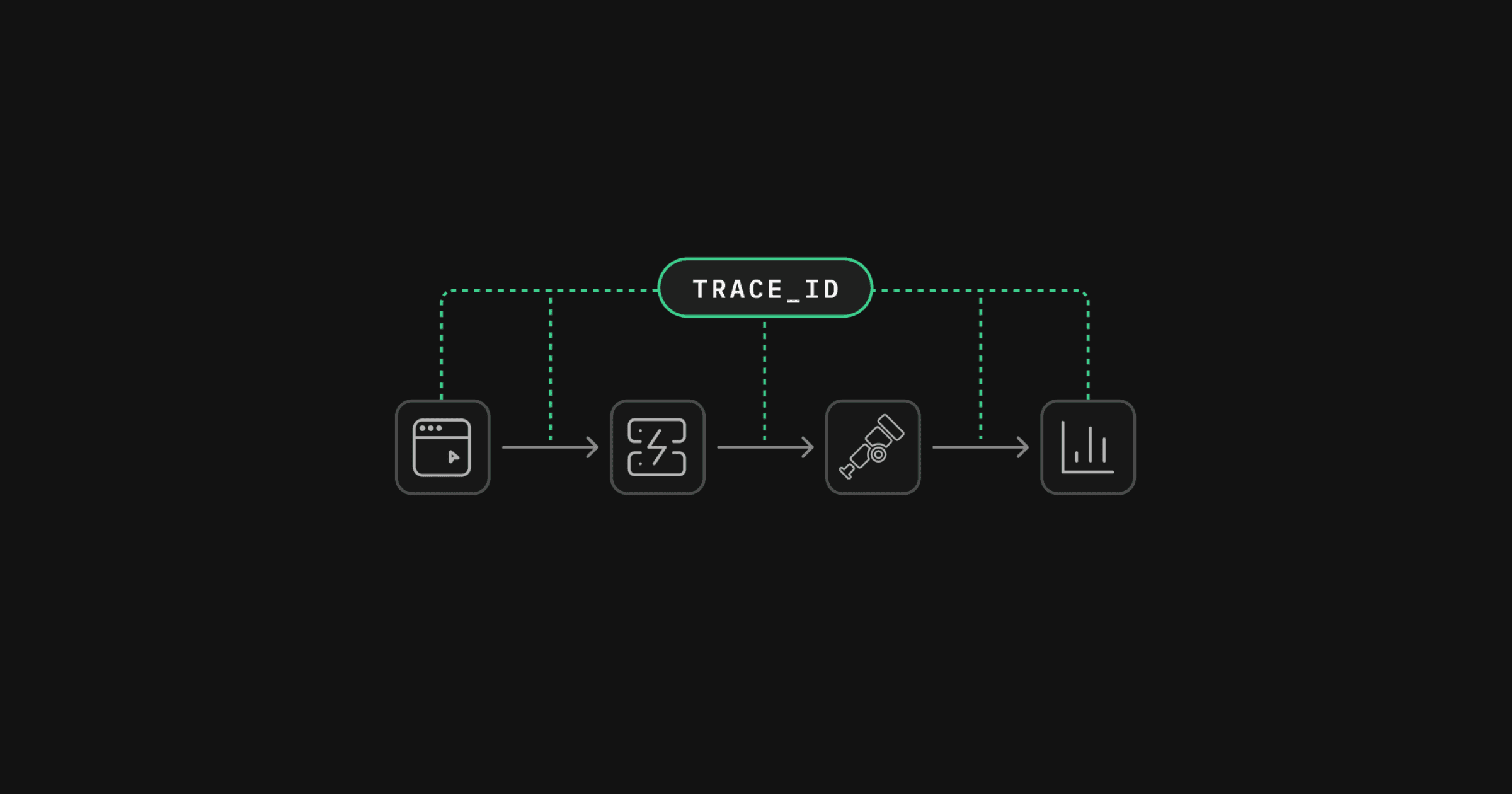
A slow request no longer has to become a timestamp-matching exercise for Supabase developers. The database platform’s client SDKs can now carry tracing information from an application into Supabase, giving client traces and corresponding server logs the same trace_id.
The update is available now across supabase-js, Swift, Flutter, and Python. As Supabase announced on LinkedIn, the SDKs use W3C Trace Context, an industry standard for passing trace identifiers between services.
That matters because applications and their managed backend have historically appeared as separate systems during debugging. A developer might see a slow operation in a frontend monitoring tool, then search Supabase logs for a request recorded at roughly the same time. This approach becomes fragile when an application is handling many concurrent requests or when clock differences and network delays muddy the timeline.
One Trace Across the Application Boundary
When tracing is enabled, the supported SDK attaches standard W3C trace headers to each request sent to Supabase. Supabase then records the same trace_id in the API Gateway and Edge Function logs generated for that request, according to the company’s official blog post.
A W3C-compatible observability system can use that identifier to reconnect the server-side activity with the original client trace. Supabase lists OpenTelemetry, Sentry, Datadog, Honeycomb, and Grafana among the compatible options. Teams can therefore continue using their existing tracing platform rather than adopting a Supabase-specific monitoring product.
The resulting workflow is more direct:
- A user action begins a trace inside the application.
- The Supabase SDK propagates its context with the outbound request.
- Supabase assigns the matching
trace_idto API Gateway and Edge Function logs. - A compatible tracing system connects those records into the broader request timeline.
This creates a clearer path for investigating where latency or a failure occurred. A team can distinguish time spent inside its app from processing at the Supabase boundary or within an Edge Function, without relying solely on timestamps and manual log searches.
Log Drains Make the Update More Useful
The feature also extends to Supabase Log Drains. Every drained log carries the same trace_id, allowing logs exported to an existing observability platform to join the rest of the trace. Supabase says this adds no extra cost for teams already using Log Drains.
That detail is particularly relevant to production applications, where logs are often centralized outside the underlying database platform. Instead of treating exported Supabase records as an isolated stream, developers can query or inspect them in the context of the application request that produced them.
The update does not replace instrumentation inside an application. Developers still need a tracer that creates and follows traces, and they must enable propagation in the relevant Supabase SDK. What changes is the handoff: the trace context now survives the trip into Supabase and appears on the platform logs needed for diagnosis.
For small product teams, the practical benefit is less time reconstructing incidents across monitoring interfaces. For larger systems, consistent identifiers can also help teams analyze request paths that involve multiple clients, APIs, and Edge Functions. Either way, Supabase is making its managed infrastructure behave more like another instrumented service in a distributed system, rather than an observability boundary.
Frequently asked questions
What is W3C Trace Context in Supabase?
W3C Trace Context is a standard way to pass trace identifiers between applications and services. Supabase’s supported SDKs can attach that context to requests so the client trace, API Gateway logs, and Edge Function logs share the same trace_id.
Which Supabase SDKs support trace propagation?
The update covers supabase-js, Swift, Flutter, and Python. Developers must turn the capability on for the SDK to attach trace headers to Supabase-bound requests.
Which tracing tools can use the propagated trace ID?
Any W3C-compliant tracer can pick up the context. Supabase specifically names OpenTelemetry, Sentry, Datadog, Honeycomb, and Grafana; logs sent through Log Drains also retain the matching trace_id.
Sources
1 checkedHow we cover tool news: Create With's tool desk drafts these reports with AI from the sources listed above and checks them against those sources before publishing.



 Stripe
 Airtable
 Adalo
Adalo
 Squarespace
 ElevenLabs