 Descript
Descript announced on LinkedIn that Underlord, its AI-powered editing assistant, now remembers user editing preferences across sessions. The update addresses a persistent friction point: having to repeatedly tell the AI agent how to style edits each time you start a new project or editing session.
What Changed
Previously, users had to re-specify preferences like tight cuts, clock wipe transitions, or karaoke-style captions with every new edit request. Now, once you define your style preferences, Underlord stores them and applies them automatically to future edits without prompting.
The feature builds on recent improvements to Underlord's capabilities. In May, Descript rolled out chat history and context pinning, allowing users to attach specific scenes, timestamps, or layers directly to requests and pick up conversations across sessions. As previously covered, the company has been steadily addressing daily editing friction through its Telethon initiative.
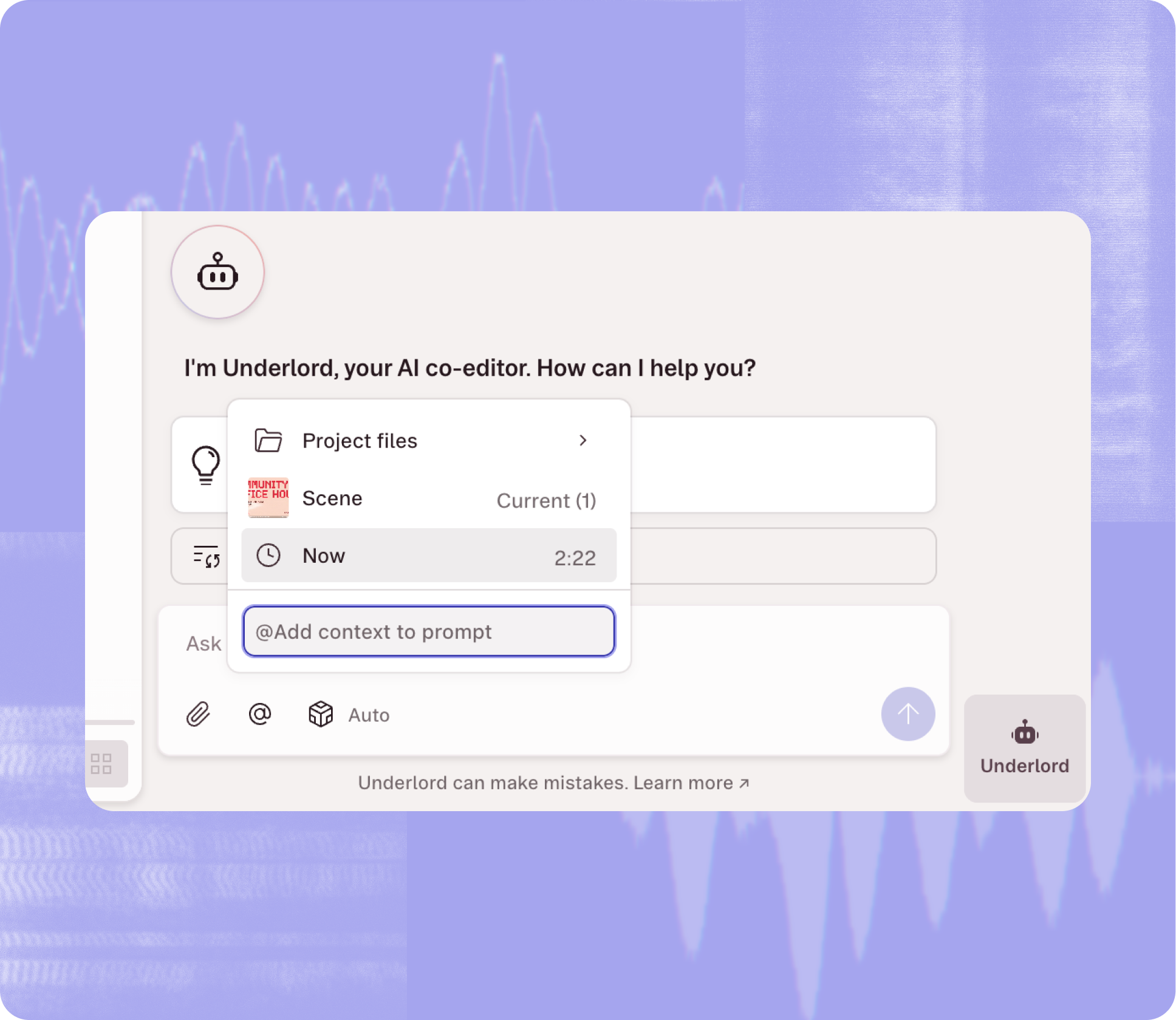
The preference memory works per-user and per-project, syncing across browsers and devices. Collaborators on the same project maintain separate preference profiles. This setup ensures that individual editing styles don't interfere when multiple team members work on shared content.
Why It Matters
For creators producing regular content, eliminating repetitive setup saves meaningful time. A YouTube creator cutting weekly videos no longer needs to specify their standard pacing and caption style for each episode. A podcast editor can set their preferred cut tightness once and trust it will apply to every conversation edit going forward.
The update also makes Underlord more practical for batch editing workflows. Users can process multiple clips with consistent styling without stopping to re-enter preferences between each one.
How to Use It
Users access preference settings through the Underlord chat panel inside any Descript project. After opening the panel, define your preferred editing style—cut timing, transition types, caption formatting—in a single request. Underlord saves these settings automatically and applies them to subsequent edits in that project.
To adjust preferences later, simply send a new request describing the change. Underlord updates its memory and applies the new style going forward. The chat history feature, introduced in May, lets you review past conversations and see what preferences you've set.
Descript has not specified whether preference memory extends across different projects or remains project-specific. The LinkedIn announcement and changelog do not clarify this detail. Based on the existing chat history implementation, which is scoped per-user and per-project, preferences likely follow the same pattern.
The update is available now to all Descript users with access to Underlord. No upgrade or opt-in is required.
Sources
1 checkedHow we cover tool news: Create With's tool desk drafts these reports with AI from the sources listed above and checks them against those sources before publishing.
 Supabase
 v0
v0



 PostHog